Docs
Compare scans
See what changed on a page: compare it with any URL in the extension, or compare two scans and earlier versions in the web app.
Last verified against the web app (547aebd) and extension 1.0.27.
There are two ways to compare in Metaspry. The extension’s Compare tab puts the page you are on beside any other URL, right now. The web app’s Compare page puts two saved scans side by side - two different pages, or the same page before and after a change. Both are free.
In the extension: this page vs another URL
Open the Compare tab (the sixth tab; press 6 in extension 1.0.27 and later), type a URL and press Compare. The field starts with the current page’s URL; example.com gets https:// added, and the host needs a dot, so localhost is refused.
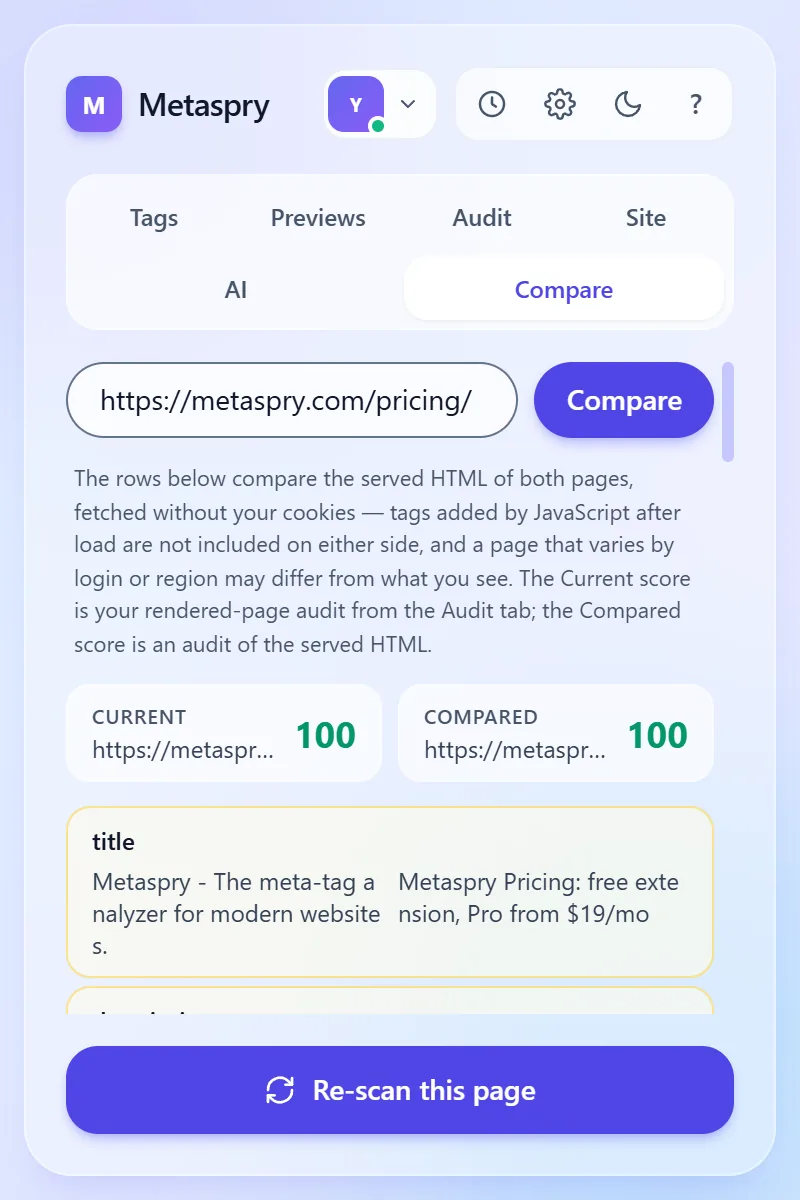
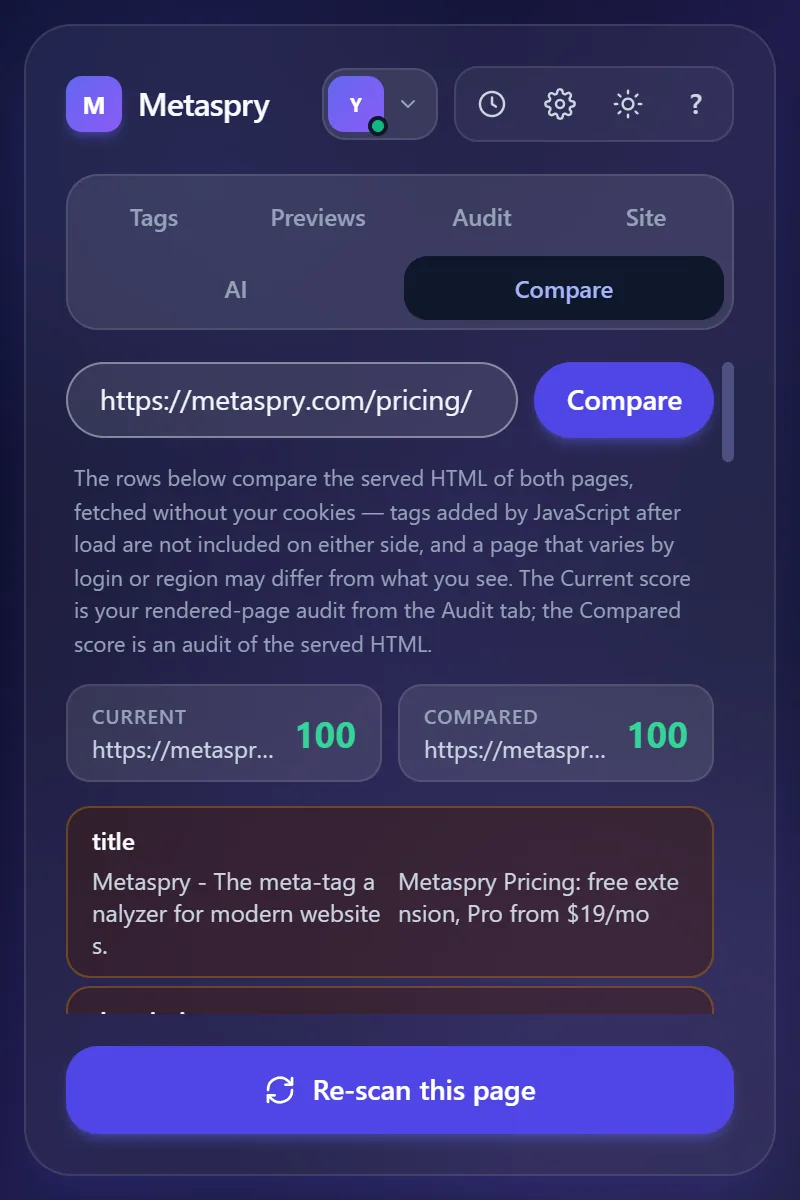
What you get:
- Current and Compared cards, each with its URL and score.
- One row per tag: same (green), different (amber) or on one side only (grey). Title, description, canonical and the main Open Graph and Twitter tags come first, then the rest alphabetically.
Things to know:
- Both sides are fetched as served HTML, without your cookies. Tags that JavaScript adds after the page loads are not on either side, and a page that changes by login or region may differ from what you see.
- The Current score is the rendered-page audit from the Audit tab; the Compared score audits the served HTML. On a JavaScript-rendered site the two scores measure different things.
- If the current page’s served HTML cannot be fetched, the left side falls back to the rendered page and a warning says so.
- Each fetch gives up after 6 seconds (“Timed out after 6 s - the site did not answer.”).
- Nothing is saved: the comparison is not added to History and is not uploaded.
In the extension: “Last scan - Open what changed”
Extension 1.0.27 and later. When you are signed in and scan a page you have scanned before, the Audit tab shows a row under the score: Last scan 3d ago (or “Previous scan on file”) on the left and Open what changed ↗ on the right. The link opens the web app’s Compare page with the page’s previous version on one side and the scan you just ran on the other.
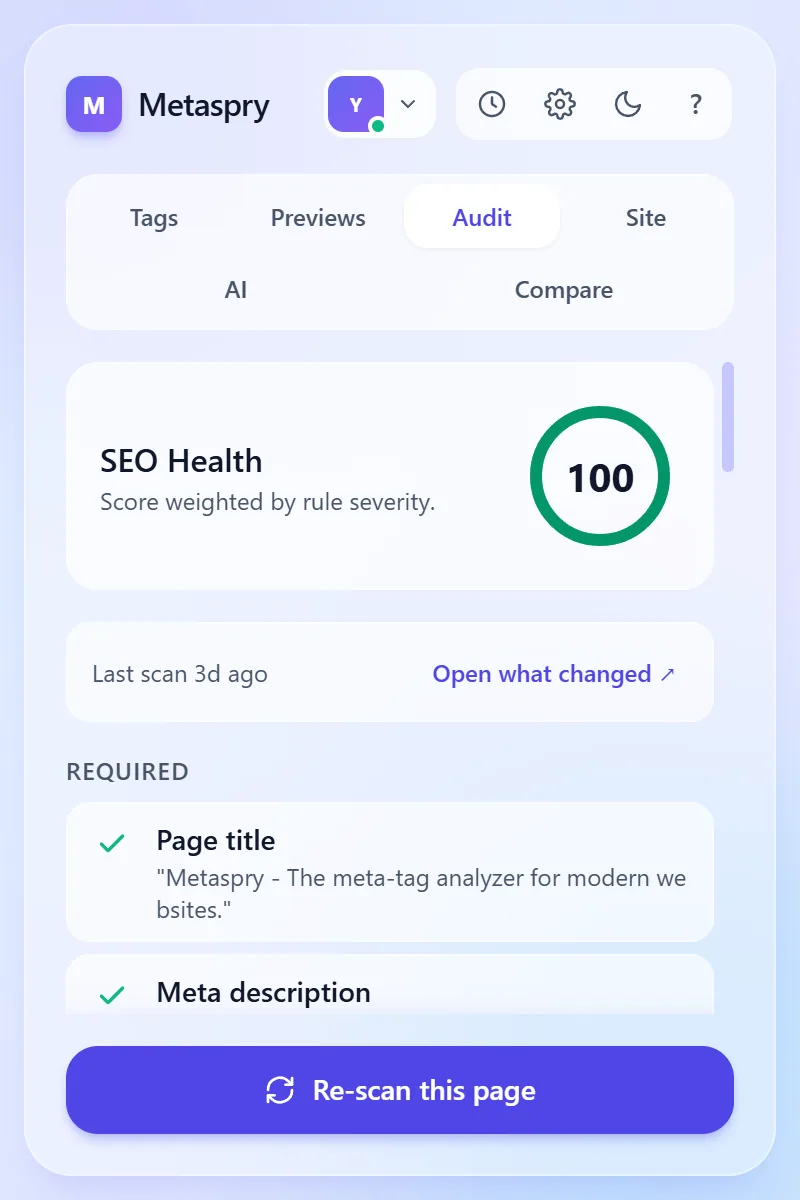
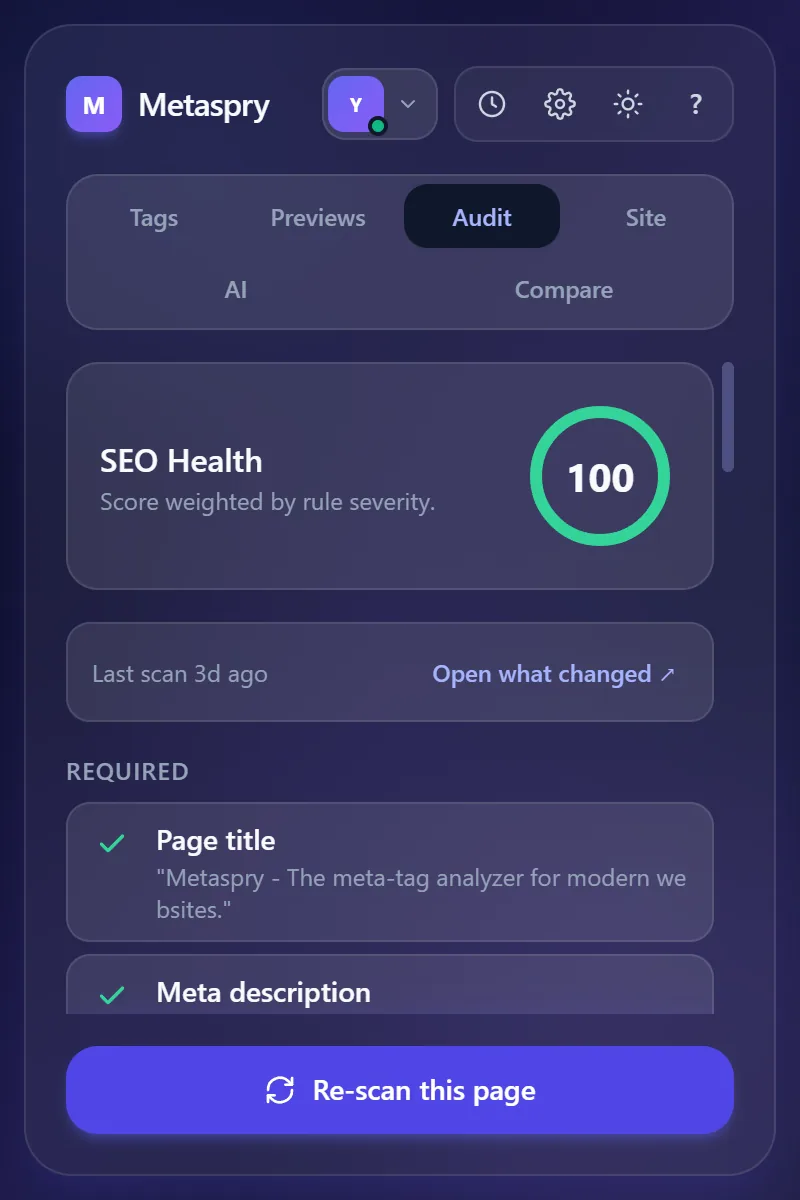
The row is not shown when you are signed out, on the first scan of a URL, or when the upload failed. The extension does not diff anything itself; the web app keeps the earlier versions (below). If the page has not changed since an earlier scan, no new version was stored, so the comparison can reach further back than your last scan.
In the web app: two scans side by side
The Compare page (app.metaspry.com/compare) is not in the sidebar. You reach it from:
- A scan page. When an earlier version of the page exists, a Changed since card sits under the header with a one-line summary and See full comparison. Compare with… opens a picker listing the page’s earlier versions and your 50 most recent scans. If you scanned the same path on another host (staging vs production, say), the picker preselects it.
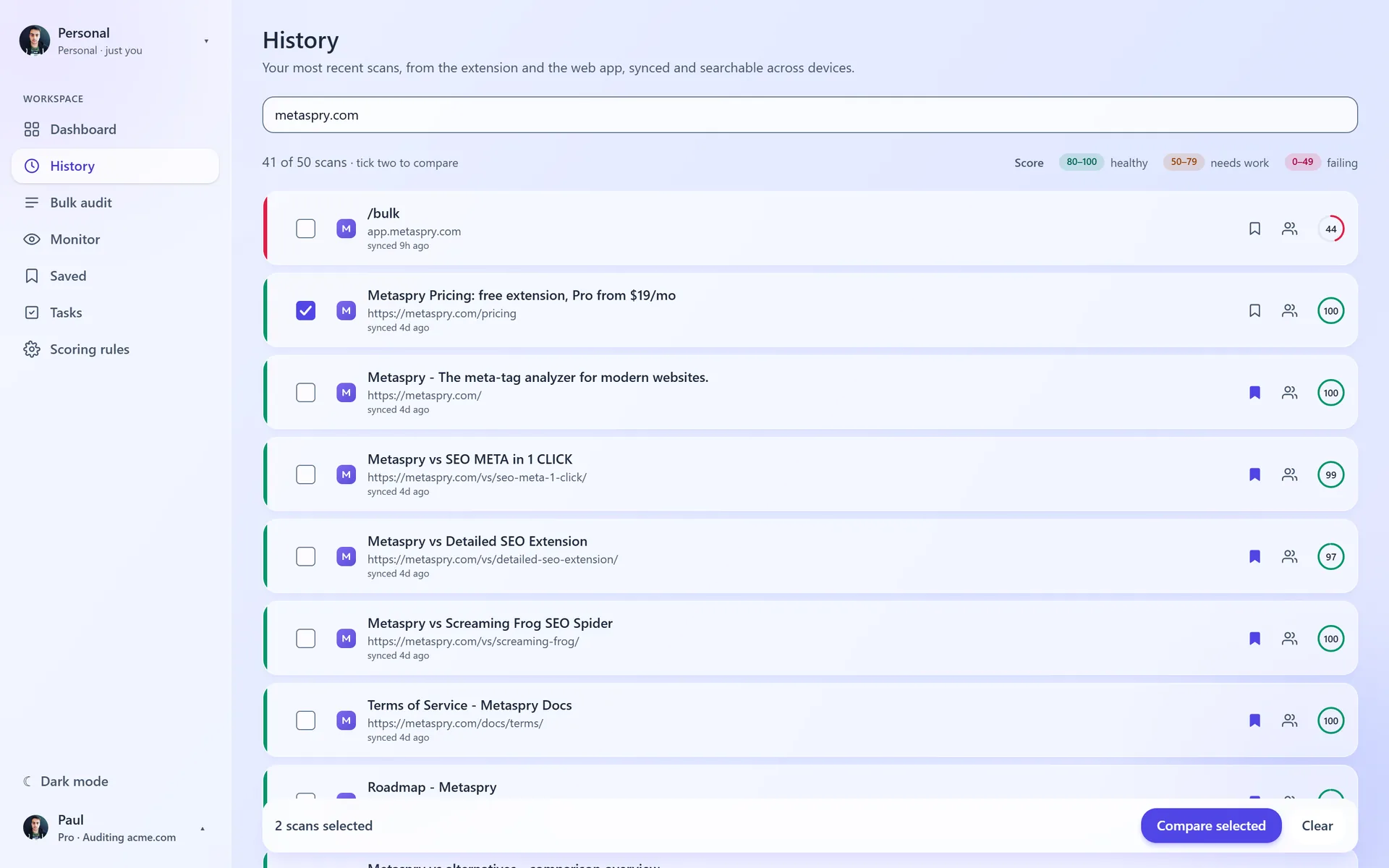
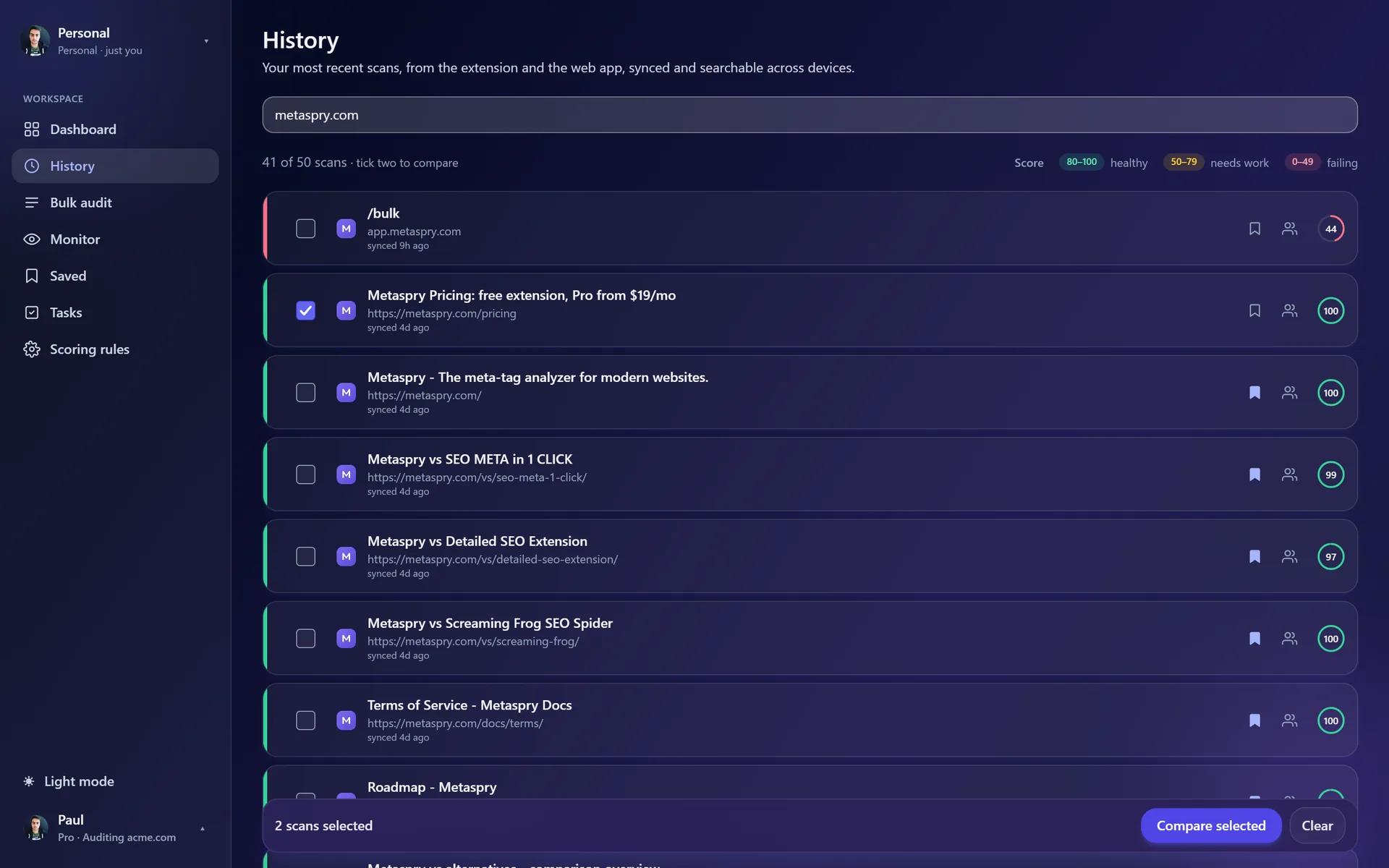
- History. Tick two scans and press Compare selected; the older one becomes A. On a phone, press Select (or long-press a row) and tap two rows.
- A bulk run. The score change on each row links to what changed on that page since its newest stored version.
- The extension’s “Open what changed” link, above.
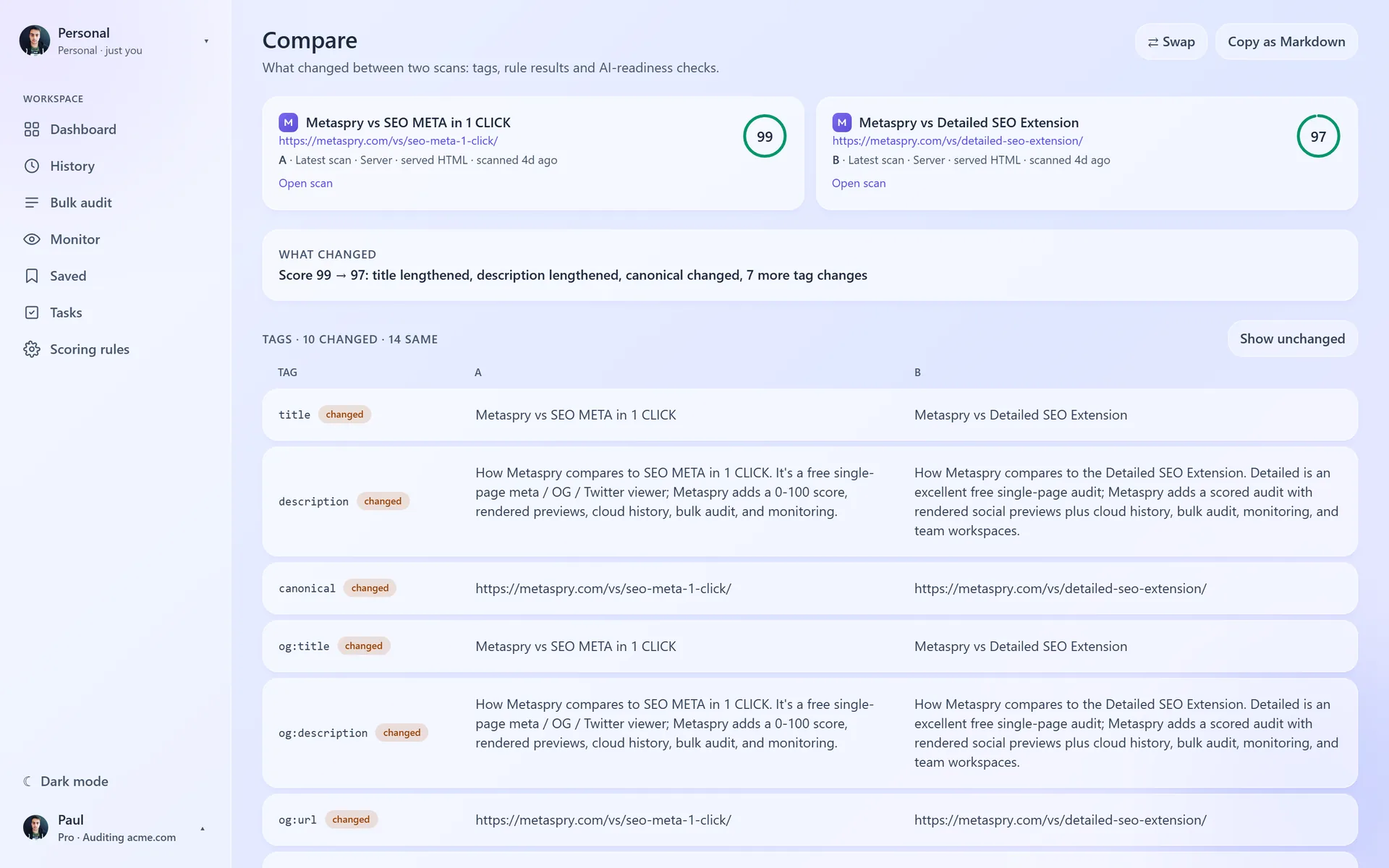
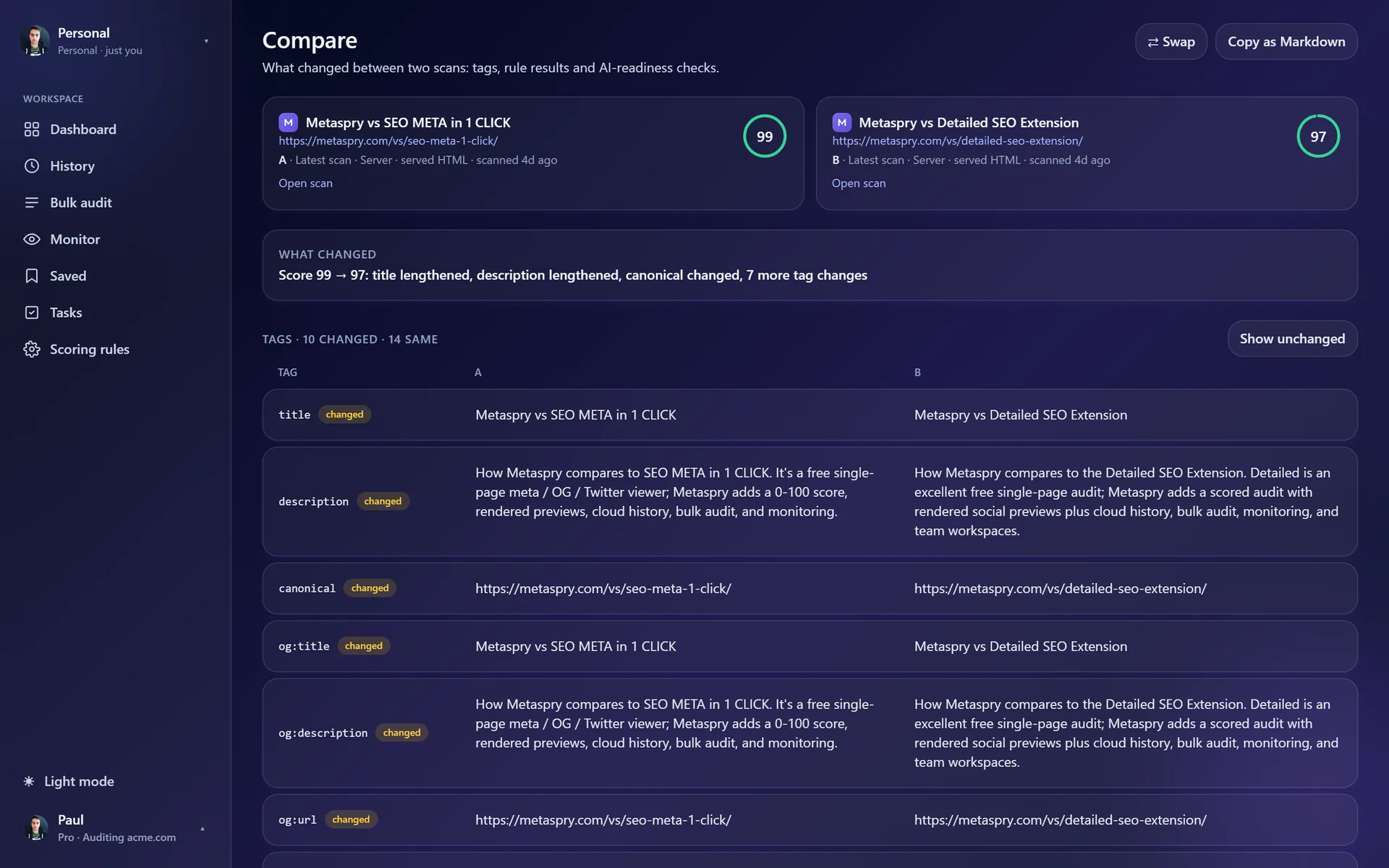
The page shows:
- Two cards, A and B, each with the title, URL, “Latest scan” or “Version from” a date, where the scan came from (“Extension · rendered page” or “Server · served HTML”), and the score. A warning appears when the two sources differ, because a rendered page and served HTML can disagree without the page changing.
- What changed: one line, for example “Score 91 → 74: og:image missing, description shortened, 1 rule now failing”.
- Tags: the changed tags (Show unchanged adds the rest), Rules that changed (status A → B, and the length change for length rules), and AI readiness when both scans have it.
Actions: Swap (or press s) and Copy as Markdown, which copies the comparison for a ticket or a pull request.
Versions: what the app keeps
Metaspry keeps one scan per URL. When a new scan of that URL changes its tags, rule results or score, the previous copy is saved as a version. Up to 20 versions are kept per URL, newest first, and they are deleted with the scan. A re-scan that changes nothing stores no version.
Compare works on every plan and uses no quota. It reads scans from the workspace you have open; a link to a scan in another workspace says so instead of showing it.
Related
- Cloud sync - where scans and versions are kept
- Saved folders - keep the scans you compare often
- Keyboard shortcuts -
6for the Compare tab,sto swap